Protect Yourself
Protect your identity and your finances{sub-heading}

If in doubt, contact BOQ {yellow-border}
To report a fraud or scam, visit your local branch or call us immediately.


How to protect your personal information {yellow-border}
Personal Info and Privacy
Your personal information is any information that can be used to identify you.
Identity theft is a type of fraud that involves using someone else's identity to steal money or gain other benefits.
Your personal information may include:
- Full name
- Address
- Phone numbers
- School
- Date of birth
- Email address
- Usernames and passwords
- Bank details

Never provide personal information to anyone who calls or emails you.
Avoid phishing scams that ask for your personal information, like your address, bank account number, date of birth, etc.
Be wary of anyone asking for personal information via text, a phone call, or email. Identity thieves may be pretending to be government agencies, banks or stores so they can get your personal information.

Shred personal documents.
Never throw personal documents in the trash or recycling bin without shredding them first.
These include:
- Bank statements, Receipts, Medical statements,
- Credit card offers, Expired plastic such as debit cards and credit cards,
- Personal records

Create complex passwords.
Create Complex Passwords. Weak passwords can be guessed, and even strong passwords can be figured out through methods such as brute force attacks.
How to create a strong password
- Make your passwords very long.
- It should consist of letters with a different casing, special symbols, and numbers.
- Don’t use a common phrase.
- Don’t use passwords containing your name of Date of Birth.
- Don’t reuse your password.
- Use a password manager.
- Don’t store passwords in your browser.

Monitor your mail.
Check your physical mail often. If you can, opt for paperless statements from institutions that may use your personal information when contacting you.
If you're going out of town, place a hold on your mail, ask for someone to pick up your mail for you, or put a lock on your mailbox. If certain documents haven't arrived in the mail, such as your bank statements, let us know.

App privacy settings.
Even though application security can apply to desktop devices, the term is used mostly in reference to mobile apps. We recommend you have your settings set to private on all social media platforms.

Protect biometrics.
Protect your biometric information by being cautious about where you share images of photo ID and avoiding sending images or selfies to unexpected or unverified requests.
How to protect yourself online {yellow-border}
Online Security
It is important that you take responsibility to understand and protect yourself from digital security threats. You can help reduce the risk of digital security threats by installing protection software (e.g. antivirus, antimalware, firewalls).
Malware is any kind of malicious software or code designed to exploit a computer, including computer viruses, worms, Trojan horses, spyware and other malicious programs. Some malware specifically targets the financial sector, trying to obtain your internet banking credentials or other means to steal your money.

Be aware of computer security scams.
- Scammers may contact you posing as antivirus or software providers to try and gain access to your device.
- It’s safest to install security software through a trusted IT professional or in‑person service provider.
- Be wary of unsolicited calls offering technical support or asking for personal information.

Keep your software up to date.
One of the most important cyber security tips to mitigate viruses and malware is patching outdated software, both operating system and applications. This helps remove critical vulnerabilities that hackers use to access your devices.

Use firewalls and antivirus.
A firewall is a software or firmware that prevents unauthorised access to a network.

Do not charge your electronic devices by connecting them to other people's computers.
Besides increasing the risk of virus or malware infection, connecting devices to other people's computer equipment could, in some situations, cause data to be transferred between them.

Unsecured wireless networks.
Be careful when connecting to wireless networks and accessing your internet banking or other trusted sites, especially whilst travelling. You never know who might be snooping on your online activity.

Consider using a security token.
Using a Security Token for online transactions can make it even harder for an identity thief to access your online account. BOQ offer physical and soft security tokens to assist customers in uplifting their online security.
IBM Security Trusteer Rapport
BOQ offer a free service called IBM Security Trusteer Rapport™. IBM Trusteer Rapport is a piece of software that operates like an anti-virus, but specifically focuses on financial malware.
It can clean a device of malware already presented, and then helps to prevent any future infections. This will help to protect you against a potential fraud-related loss.
For further information and instructions on how to download please visit: https://www.boq.com.au/rapport
How to protect yourself from online card fraud or digital wallet card fraud {yellow-border}
Payments and Transactions
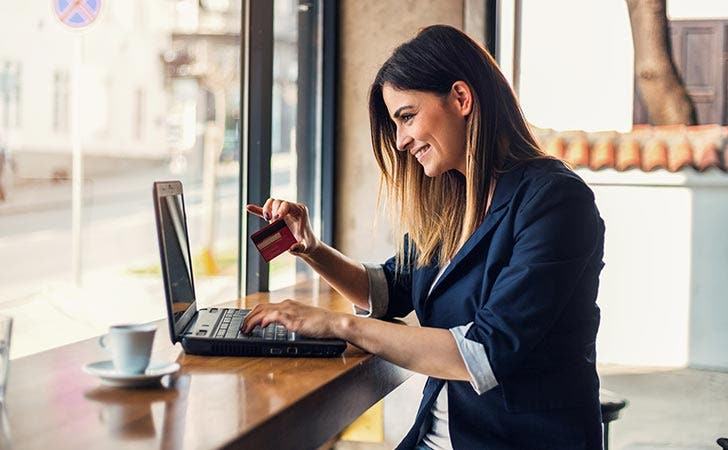
Card-Not-Present (CNP) fraud represents 85% of all card fraud in Australia. In 2020, $403 million of fraudulent purchases were made on Australian issued cards. To this end, it is important to exercise care when transacting online.

Check the website's authenticity.
If you are shopping on an unfamiliar website, conduct your own research about the website to validate it is a reputable retailer.

Make sure the site is secure.
Typically, in the address bar of your internet browser, you should see a little padlock to the left side of the website address.

Know what you're purchasing.
Whenever you enter card details online, be sure you know what you are purchasing and that the company you are purchasing from is reputable and legitimate.

Be cautious when clicking links from unknown contacts.
If you have received a hyperlink in an email or text, avoid clicking it and do not provide any personal information. You can check the link's legitimacy by hovering over it before clicking. If it looks unusual, discard the message. As a general rule, do not provide your personal details to anyone you do not know or trust, especially if it includes a proposition that involves payment.

Beware of requests to share one-time passcodes.
This can be over the phone, or via a web page that you have been invited to visit through an unsolicited call, SMS or email. Never share verification codes including to someone you believe might be us.
How to protect yourself from scams {yellow-border}
Be Scam Aware
Scams can result in both financial loss and identity theft. Protect yourself by making note of the below. Remember, if it's too good to be true, it probably is.
If you are concerned about a potential scam, talk to a trusted family member or friend and give BOQ a call,
- 1300 55 72 72 24 hours, 7 days a week
- or visit www.boq.com.au/contact-us

Be scam aware.
If it sounds too good to be true, it most likely is.

Never provide remote access to your electronic devices
No matter how legitimate the caller may seem.

Independent financial advice.
Always seek independent financial advice prior to investing from a registered financial advisor.
Visit moneysmart.gov.au for more information.

Be careful of who you interact with online.
Look out for rapid declarations of affection and discussion of matters that involve financial hardship.

Always validate who you are speaking with.
If you receive an unexpected call from someone claiming to be from a company, (for example telecommunications, law enforcement or your bank), always pause and verify this through a trusted and legitimate source before you provide any personal information, access to devices or money.

Confirm bank details.
Always confirm bank details or a change of bank details over the phone prior to making payment. Never confirm by email.

Don't pay upfront.
Refrain from sending funds upfront to a private seller and use secure payment methods. Conduct your due diligence before making a purchase.

Never disclose bank details.
Never provide your PIN or Internet Banking details to anyone – not even to BOQ. We will never ask you for this information.

Don't click third party links.
Always access Internet Banking via www.boq.com.au or the BOQ mobile app.
External links {yellow-border}
You might also be interested in

Latest Alerts
Read about the latest scams, how to protect yourself, and how to report them.