myBOQ Banking App
Packed with smart features to help you make smart choices, bank on the go and more with the myBOQ app.{sub-heading}

The myBOQ app is packed full of features{yellow-border}

Track your bills
Never miss a payment. We’ll give you a heads up when your bills are due, so you can make sure you’ve got the funds available.

Better at budgeting
Manage your money easily. Set spending budgets on specific categories like groceries, bills and more. And get personalised insights and real-time alerts.

Round Ups~
Grow your savings whenever you spend. Round up debit card transactions to the nearest dollar and we’ll put the extra change straight into one of your savings accounts.

Open up to 9 accounts
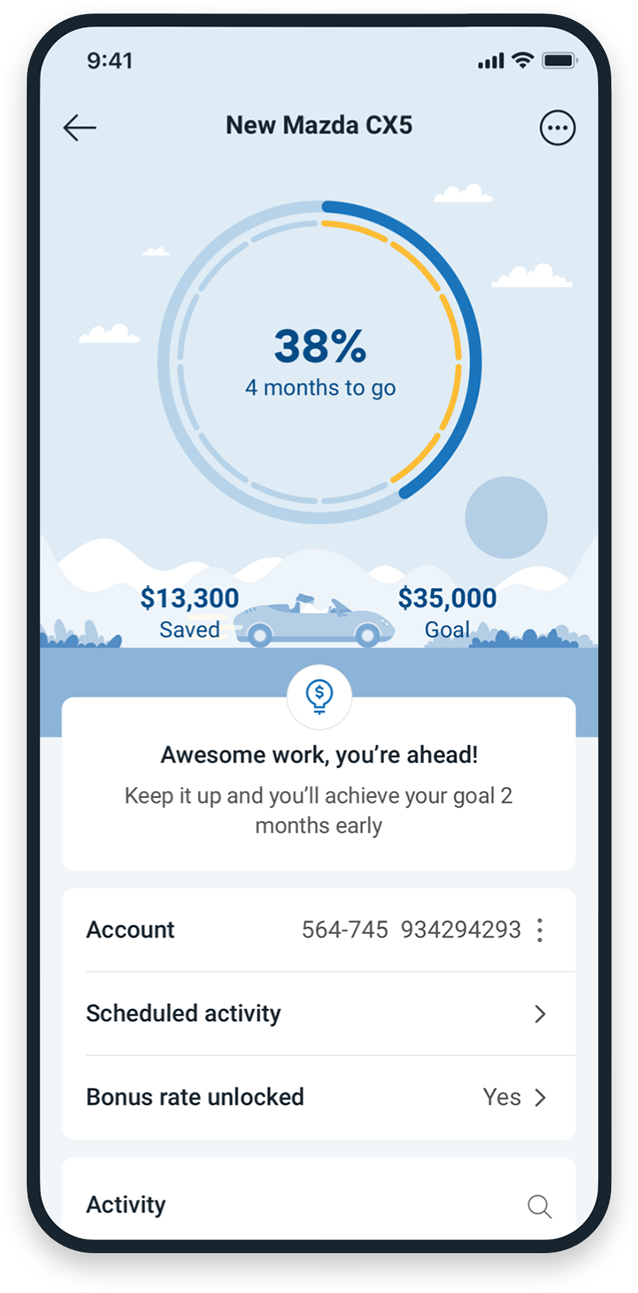
Make every cent count. Open multiple savings accounts to manage your savings across multiple goals.
Compare our savings &[br] transaction accounts{yellow-border}

Everyday [br]Account
Standalone transaction account
Our low-fee Everyday Account, available exclusively on the myBOQ app.[br][br]
[br]
No monthly account keeping fees
{rate-display}
[br]

Future Saver Account
Bundled bank & save account
Our highest bonus interest savings account for 14-35 year olds bundled with the Everyday Account.
Up to
{myboq-banking-rates|| fs3 || rate}% 5 p.a.{rate-display}
[br]
On balances up to $50,000 when monthly criteria is met

Smart Saver Account
Bundled bank & save account
High bonus interest savings account designed for savers 36 years old and over bundled with the Everyday Account.
Up to
{myboq-banking-rates|| sv2 || rate}% 5 p.a.{rate-display}
[br]
On balances up to $250,000 when monthly criteria is met

Simple Saver Account
Savings account
A no hoops savings account with no monthly interest criteria.
{myboq-banking-rates|| ss3 || rate}% p.a.{rate-display}
[br]
Standard variable rate on balances up to $5 million
[br]
Ready to apply?{yellow-border}
myBOQ is a mobile banking app only. You won't be able to, or need to use the BOQ's internet banking system.
Apply online now{small-button}
Or download the app at your relevant app store.
Before you apply you will need:
- to be the account holder (applications cannot be completed and submitted by an Executor/Administrator/Power of Attorney/Legal representative)
- an Australian residential address
- an Australian driver's licence or Australian passport
- an Australian mobile number
- a smartphone that supports iOS 15.0+ or Android 9.0+
Things you should know{yellow-border}
- myBOQ is a new mobile app that features exclusive 'app-only' accounts and transaction types that cannot be accessed via Internet Banking.
- If you're a BOQ account holder with existing accounts that you access via Internet Banking, please note these accounts aren't accessible from the myBOQ app.
myBOQ app FAQs{yellow-border}
How is the myBOQ banking app different to the BOQ Mobile app?
myBOQ is BOQ’s brand-new digital banking platform, launching a range of exciting features and products. Customers who open an Everyday Account, Future Saver, Smart Saver or Simple Saver can manage these within the myBOQ app.
Customers holding existing BOQ accounts will continue to manage these via BOQ Mobile or internet banking.
BOQ is committed to providing customers with the best technology, features and services through the myBOQ app. This platform will continue to evolve to meet customer needs and improve their banking experience.
I am already a BOQ customer, can I access myBOQ?
Of course. But you’ll need to open a new Everyday Account or saver account to access the myBOQ app, as your existing accounts won’t be available.
Learn more about our Everyday Account.
Learn more about our Saver Accounts.
Existing accounts will still be available via Internet Banking or on the BOQ Mobile app.
Is myBOQ Secure?
Can I still visit a branch?
Yes, customers with any myBOQ accounts can visit any BOQ branch for assistance. We also have a dedicated contact centre, and in-app chat should you have any questions or need assistance.
To chat to us in the myBOQ app, tap the Profile icon, then Help & Support > App Support > Chat to us now to instantly get connected to a myBOQ agent.
How do I open an account?
What accounts are available on myBOQ?
myBOQ offers a suite of everyday banking products.
Everyday Account – Our simple, intuitive everyday transaction account, made even better for you with user-friendly features that help you make the most of your money.
Future Saver and Smart Saver – Our high-interest savings account with easy-to-earn bonus interest, goal tracking and no monthly account fees. Customers between the age of 14-35 will receive a Future Saver account, whilst customers 36 years and older will receive the Smart Saver Account.
Simple Saver– No hoops and no fuss when you just want to save. Simply sit back and watch your savings grow.
Can I open a business account?
What are the operating system requirements?
My app is showing an “Operating System is not supported” message when I try to use it, why can’t I use my app?
My iOS is no longer supported. Can I continue to use the myBOQ app?
My Android operating system is no longer supported. Can I continue to use the myBOQ app?
You’ll still be able to use the current myBOQ app, but to continue to receive app releases with the latest security and experience features, we recommend updating your device to a newer operating system.
If you uninstall or remove the myBOQ app on your device, it will no longer be available on the Google Play Store to download.
Why should I update to the latest operating system?
What if I can’t update my mobile phone to the minimum operating system?
More myBOQ FAQs
For more myBOQ and savings account FAQs.